Customer story
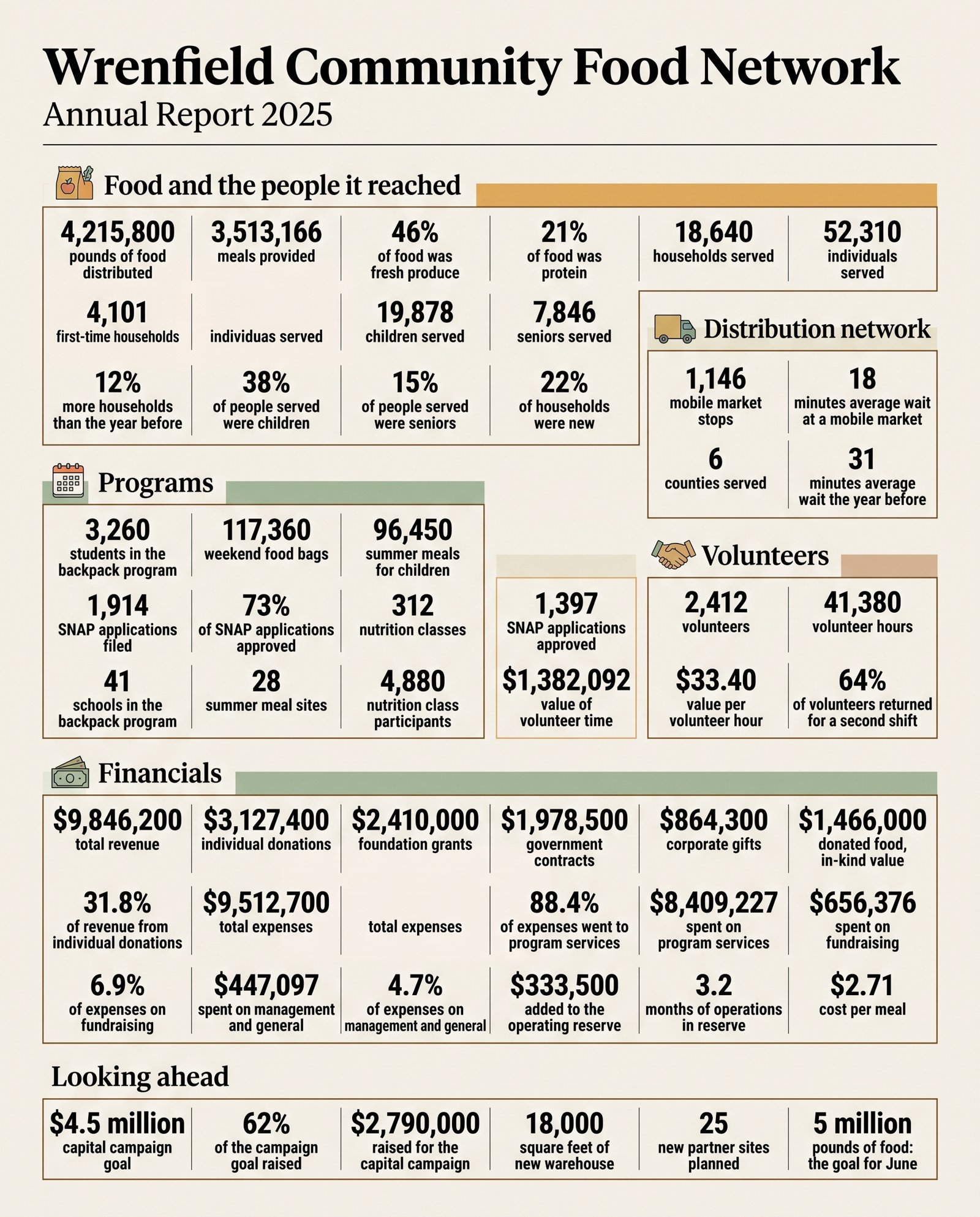
Wrenfield Community Food Network: the annual-report one-pager, with its receipt.
An invented nonprofit and an invented person. The runs below are real.
Ottilie runs communications at Wrenfield, a regional food network. Every autumn the board and three funders get a one-page infographic of the annual report: 31 figures, from pounds of food distributed to the share of expenses that went to programs.
The report is five pages, and FactFrame finds 79 numbers in it. Without a check, every figure on the one-pager has to be compared against the PDF by hand each time the design changes, and a wrong figure in front of a funder is the error she can't afford.
With FactFrame she uploads the PDF, ticks the 31 figures, writes a short caption for each, and starts the run. What comes back is the PNG and a receipt that ties every number to its page.
The four questions, for Wrenfield
Problem: a wrong figure in front of the board or a funder.
Solution: an infographic drawn from facts found verbatim in the report, read back blind and matched page by page.
Why it matters: the receipt goes into the board pack; the questions it answers never reach the meeting.
How it's used: once a year for the annual report, and again for each grant report that reuses the figures.
The product setting
31 of 31 on the first render.
At 2K · thinking on · 4:5 (engine 2026-10-06.6), Nano Banana 2.1 drew every figure right in this run. Nothing needed repair; the receipt is the proof that nothing did.
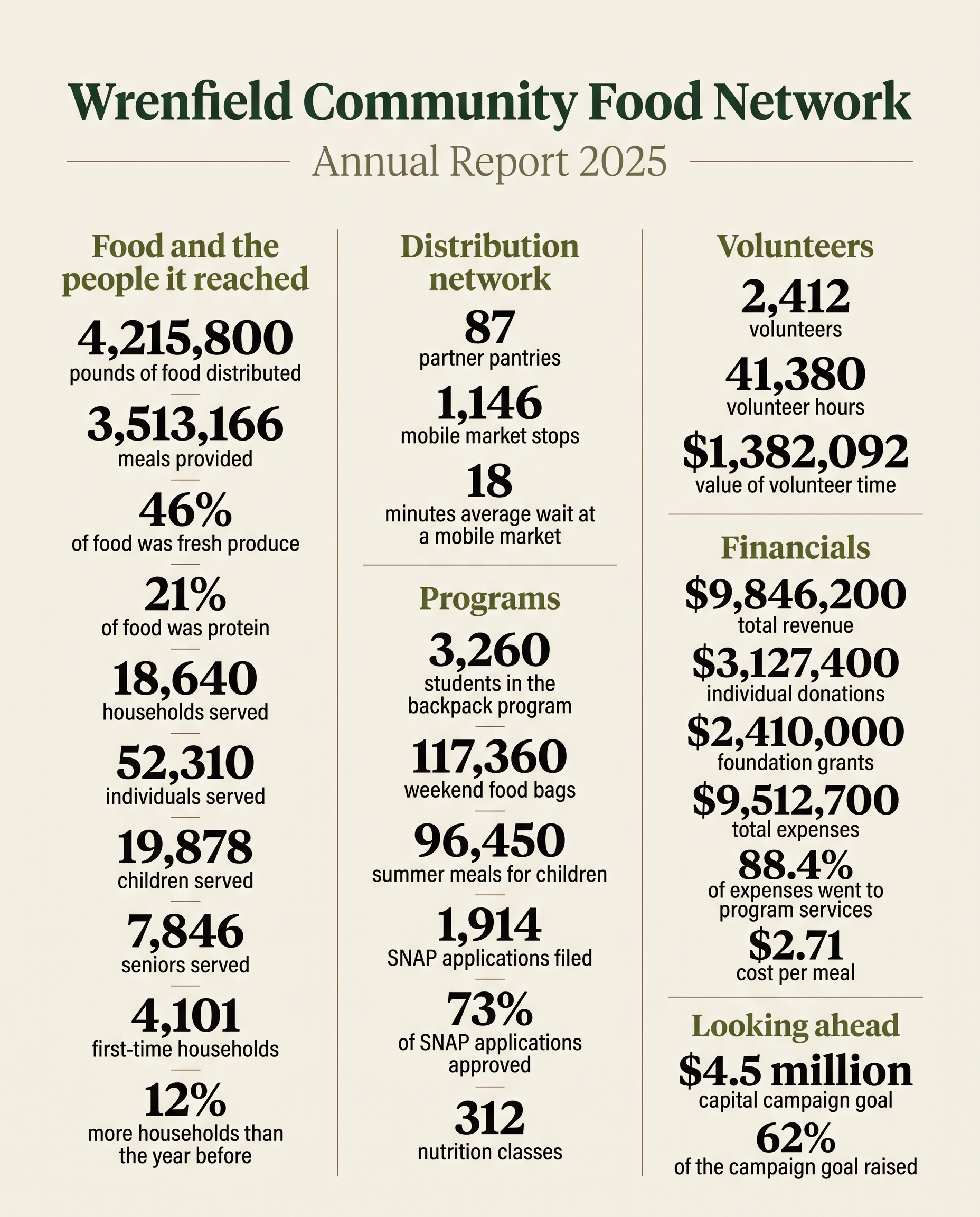
Ottilie attaches the receipt PDF to the board pack. Each line: the number on the image, the sentence it came from, its page, its status. The last section lists what the check doesn't cover: design, icons, decorative text.
The draft setting
Clean this time. Not always.
For a quick internal draft she tries 2.1's cheapest setting (1K · minimal thinking · 4:5, engine 2026-10-06.8). First check: 31 of 31, nothing else on the image. Ended 31 of 31, all clear.
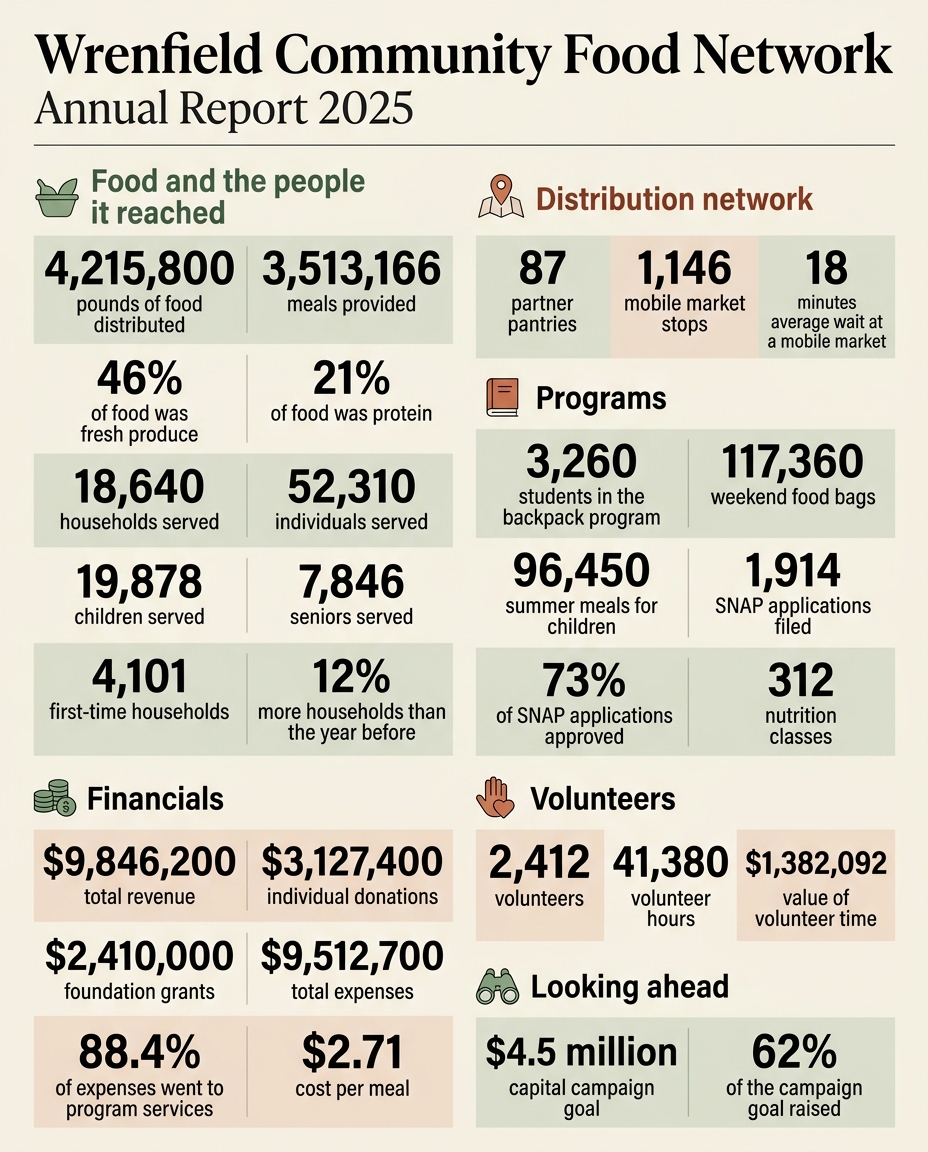
This is one of 7 live runs of the report at this setting. Of the other 6, 4 had a problem at the first check (a repeat, a missing figure, a figure without its caption), and 2 ended short of all clear and say so on their receipts, one of them after a correction to a caption rule that had let a figure through without its caption. For anything that goes to the board, she uses the product setting.
A repair: the whole report on one page
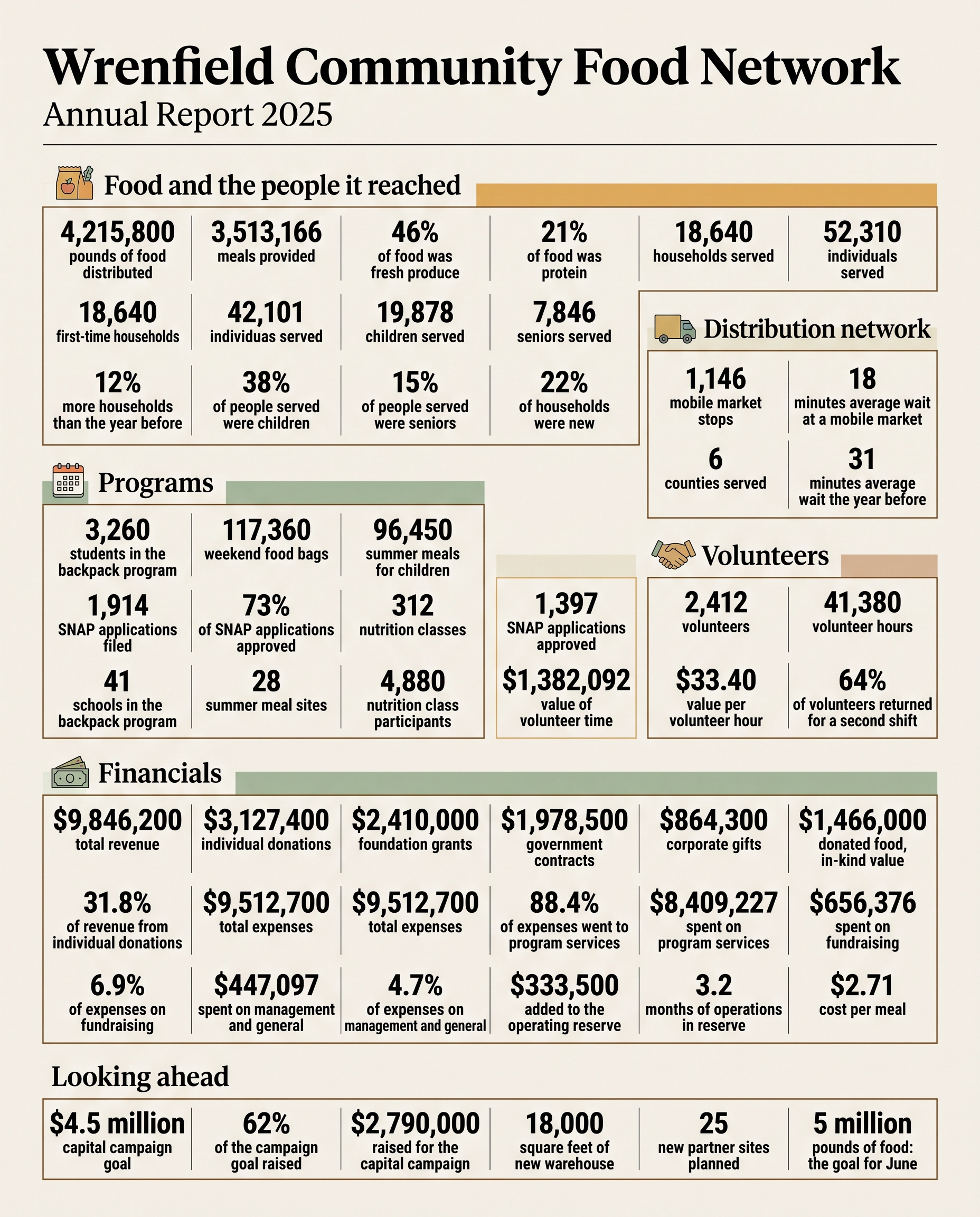
55 of 57 on the first check. The receipt says where.
She also tried every figure in the report at once (57 facts, at the product setting, engine 2026-10-06.2: an earlier gate, named on its receipt). Dense pages are where image models slip. First check: 55 of 57 (missing: 87; wrong: 18,640 for 4,101; drawn twice: $9,512,700; with no source: 42,101). Three masked edits removed the extra 42,101, $9,512,700 and fixed 4,101; three other edits were rejected or could not be placed; a missing figure has nothing on the image to place it next to, so the whole infographic was drawn again from the same list and the re-render was discarded. Ended 56 of 57, 1 flagged for a person.
 WrongUnsourcedUnsourced